Games
Games  Sport
Sport  Sign In
  Promotions
BetNjet Login for New and Returning Casino Players in the UK
Creating your account gives you full access to BetNjet’s 6,000+ games, including titles with strong payout potential. To register at BetNjet casino, you just need to submit a few personal details, such as your email and mobile number.
Your BetNjet login details work across both the desktop site and the mobile app (as PWA), so you can play on the go and enjoy glitch-free sessions whether you’re at home or out and about.

BetNjet Register Process for the Further Login
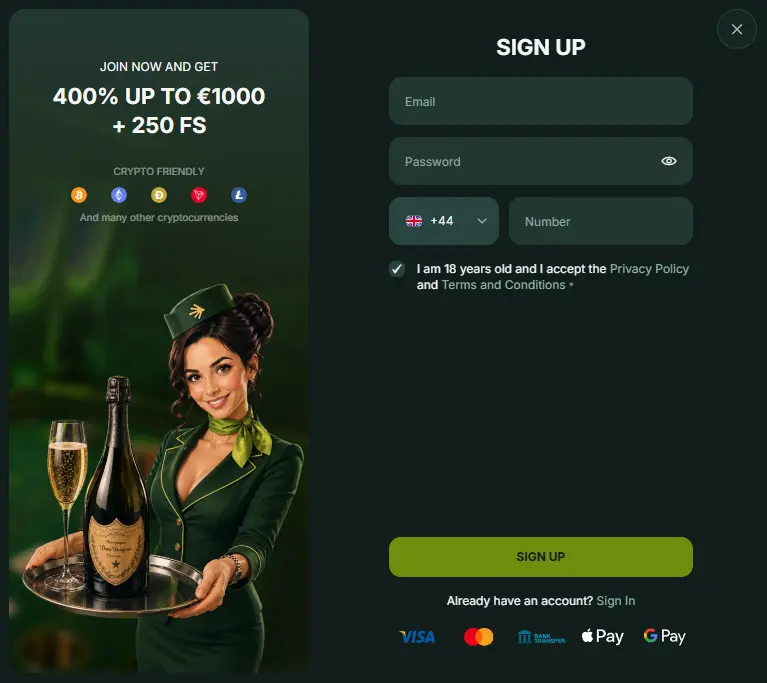
You only need an active email, a mobile number and a unique, strong password to create your account. It is also important to accept our terms and conditions and agree that you are 18 years or older. We outline the sign-up process below.
- Go to the BetNjet registration page. Simply click the Sign Up button in the top right corner of your screen to enter a page where you need to fill out some important details for the BetNjet casino login.
- Provide email and basic details. Submit your email and mobile number and create a unique password of 8 or more characters. The password must include at least one alphabet, number and symbol for complexity.
- Agree to terms. You need to tick the box that confirms you agree to our terms and conditions and that you are at least 18 years old.
- Complete registration. Hit the BetNjet Sign Up button to finish the registration.
Requirements to Create an BetNjet Account
Only adults who are 18 years or older and reside in the United Kingdom can create an account with us and be a part of this community. We also prefer that all adults who register and do a BetNjet Online Casino login have a legitimate source of income, which is why we verify payment methods as well as identity and UK residency. It is important that you satisfy these requirements and that you do not use the information of someone else to set up a profile.
Verification Requirements and How to Complete Them
You need to verify your identity (passport or driver’s licence upload) and residency (bank account statement upload) to confirm the information you provided during the initial registration. These confirmations make it possible for us to confirm that you are indeed who you claim to be.
We outline the verification process in steps below:
- Go to the profile page. Do a BetNjet Online login to your account and click on the human icon at the top right of the screen to enter your profile page.
- Go to the general tab. Navigate your way to the General tab and provide your full name, date of birth, complete address and postal code.
- Go to the verification tab. Next, enter the verification tab and upload images of the necessary documents that verify your identity, UK residency, and ability to transact online.
| What to Verify | Required Documents Uploads |
|---|---|
| Identity | Driver’s licence, passport, or any official ID document |
| Residency | Bank account statement or a valid utility bill not older than 3 months |
| Payments | Front page of a personal credit/debit card or crypto wallet |
Account verification is typically completed within one hour, provided the submitted documents are clear and accurate.. You just need to submit really accurate details, and you will be fine.
How to Perform a BetNjet Sign In Process
If you still want to deactivate your account in details, you will need to insist on deletion.
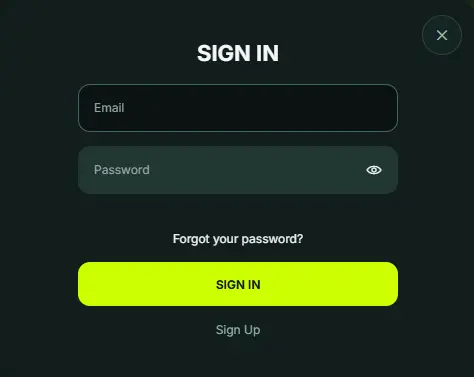
You can sign in to your account with the same email and password provided during your registration. Here is a detailed process of how to sign in to your account easily.
- Hit the sign in button
Click the Sign In icon beside the Sign Up button at the top right corner of your screen to open the login window.
- Fill in details
Submit your email and your password in their specified fields.
- Complete the process
Hit the Sign In button to access your account and continue your gambling uninterrupted with the BetNjet Casino Online login.
Sign In via the Mobile App (PWA)
Just like on the official website, you only need your email and password to access your account through BetNjet’s progressive web app (PWA). There’s no app store download required — instead, add BetNjet to your home screen directly from your browser: use Chrome on Android or Safari on iOS. Once installed, tap the icon, hit Sign In, and enter your email and password to access your account.
You can reinforce your login with two-factor authentication (2FA) from your security page. To set it up, download the Authy or Google Authenticator app from the official App Store or Google Play, then scan the QR code shown on your security page.
Your Personal Details and Their Importance
We request your personal details during registration and verification for BetNjet sign in because we need to confirm your identity and residency to establish your gambling eligibility. As a gambling platform licensed by the , it is our responsibility to ensure that only adults who live in the United Kingdom can create an account here. We can only ensure compliance with the information members provide during their registration and verification.
Possible BetNjet Online Casino Login Issues for Newly Registered Members
Unresponsive websites, password rejection, and sudden logouts are rare but possible login concerns that you could face. However, you can rest assured that these issues for BetNjet Casino sign in are easy to sort out as outlined below.
- Unresponsive website. This is a common issue, often caused by a poor internet connection. Changing your internet source will solve this problem most of the time. The site may also be temporarily unresponsive during rare scheduled maintenance or downtime.. You just need to wait a bit for us to have the site running again.
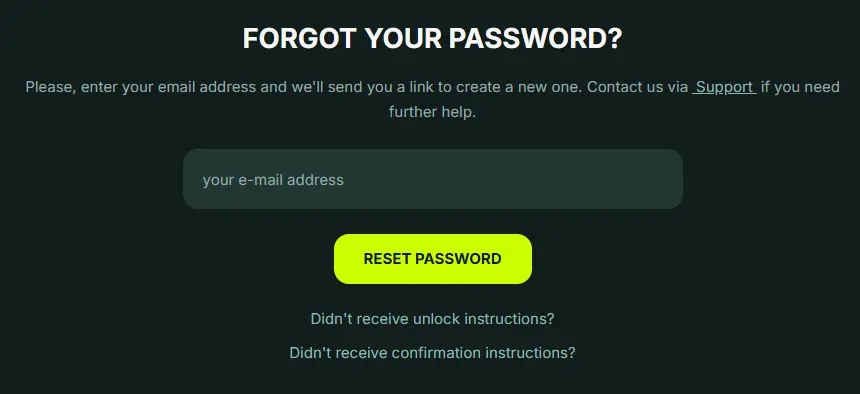
- Invalid password error. You will get this error message if your password or email is incorrect. Check your password properly and try again. As a last resort, you can request a password reset to access your account.
- Sudden log-outs. This issue for BetNjet Online Casino sign in is a precautionary move from our end following a short period of inactivity. We force a logout to protect your account because of inactivity.
Account Deactivation: Process
You can delete your account by withdrawing all cashable funds from your account and putting out a deactivation request to customer support through email and live chat. Simply go to the support page and speak with one or several agents whom you want to close your account with and erase your sign-up details from our database.
The agent may advise that you resort to a voluntary self-exclusion period that suspends your account for a period of time (3 months to a year). If you still want to deactivate your account in details, you will need to insist on deletion.
FAQ
I forgot my password — how do I reset it?
Click "Forgot Password" on the sign-in screen and enter the email linked to your account. You'll receive a reset link valid for a limited time — follow it to set a new password before it expires.
Why was my verification document rejected?
The most common reasons are a blurry or cropped scan, an expired ID, or a name that doesn't exactly match your registration details. Re-upload a clear, in-date document with your full name visible.
Can I log in to BetNjet from a different country temporarily?
Access may be restricted or flagged if you log in from outside the UK, even on a UK-registered account, as location checks are part of standard compliance monitoring. Contact support before travelling if you plan to play abroad.
Is there a difference between logging in on the website and the mobile app?
No — both use the same email and password, and your account, balance, and game history stay fully synced whether you play on desktop or the PWA.
How many failed login attempts before my account gets locked?
Repeated incorrect password attempts will temporarily lock your account as a security measure. Use the password reset option rather than continuing to guess, as this speeds up regaining access.
Can I change the email address linked to my account?
Since email is tied to your verified identity, changing it usually requires contacting customer support directly with proof of identity, rather than being editable from account settings.